
iPhone & iPad · In development
RAWR Tracker
Care for your den.
Make room for play.
Plan the chores with your partner, see the progress in your photos, and keep the next appliance job from slipping your mind.
Take a lookRAWR House Tracker is being prepared for release.
It is not yet available to download from the App Store.

Share the remembering
Know whose turn
it is.
Assign a chore to a person, break it into a checklist, and keep the notes with the job. A handoff changes the owner when your partner accepts it.
Your calendar and shopping list live alongside your chores. Each person has their own account, with shared household records when connected to the household server.
Bring your own photos. Keep the story with the task.
See what you’ve done
See the care
you put in.
Take a photo or choose one from your library. Add it as Before, During or After, then compare your progress on that same chore.
Your photos belong with your household records. The app removes embedded location metadata from the copies it keeps, and leaves your original library photos alone.
Remember the less frequent jobs
A home for your
home’s details.
Keep appliance manuals, care plans and service history together. Track the water filters separately, and record what was serviced and when.
Care plans need a source and a confirmed schedule. Your equipment’s manual or service provider sets the interval.
A well-earned play break
Chores done.
Paws up.
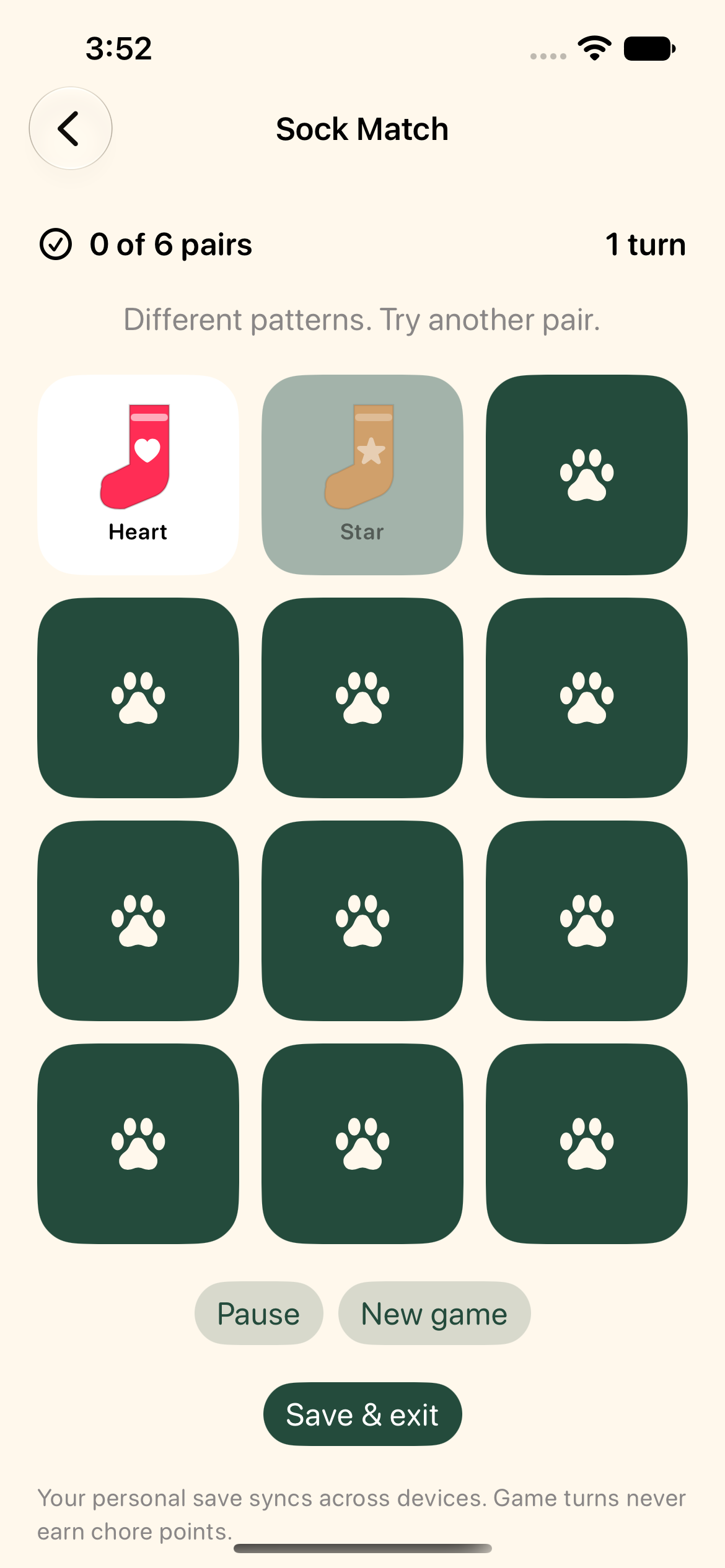
Earn personal Paw Points for the work you do. Reach 50 points and Sock Match becomes yours to play, with an untimed board and a save for later.
Points celebrate the work. Game scores stay separate, and playing never spends your chore points.
Before you get started
A few good things
to know.
Can we use it on more than one device?
The app is built to share household changes and photos. Sign-in and sharing are still being tested before release.
What happens when I’m offline?
The native app can keep pending changes and photo uploads on your device until you reconnect. Previously uploaded photos may need an internet connection to open. Sync resumes while the app is active.
Are all the mini games ready?
Sock Match is implemented. Honey Drop and Den Builder are planned for later and are not playable in the current build.
Where can I get help?
Visit RAWR support for sign-in, photos, sync and account questions. Read our privacy policy for how information is handled.